RSS (Real Simple Syndication) is a type of computer language used for sending content to a user. In its own way it is a cross between a website and an email list. It is an easy way to keep up with new updates to websites without having to remember to visit them in your internet browser and without having to sign up to get email updates. In an increasingly busy computer age, information is everywhere. Using RSS allows you to better focus on what you want to read, and it allows you to do it with speed and ease.
Here’s the way it works:
1. A website author creates a file, called an “feed”. This feed contains information about the website’s content, such as links to articles, the full content or summaries of articles, images, or even sound files. This file changes when the website is changed, for example: when our blog has a new article added to the website, it is also added to the feed.
2. The reader (that’s you) needs a program to read the feeds. This is the same way you have an internet browser to read websites or an email client to read email messages. A “feed reader” program is often called a “news aggregator” or a “news reader”. These can be programs you run on your computer (like Eudora or Outlook Express for email) or ones run on a website (like TUMail for email). If you are using the Firefox internet browser or Internet Explorer 7, it will also read feeds.
The most well-known free feed reader online is Bloglines, a great place to start reading RSS and learning more. You might also try Google Reader.
3. Once you have a feed reader, you have to find feeds to “subscribe” to (though most readers will come with a few feeds already loaded). You can find them on all kinds of sites from Time Magazine to the New York Times, from Nature to just about every blog there is (including this one you are reading). Even academic publishers are using feeds for table of contents and/or abstracts: American Psychological Association has feeds for its journals such as American Psychologist, all Oxford Journals have feeds, as do Cambridge Journals.
Links to a feed (it’s like a normal internet address except it usually ends with “.xml”, “.rss”, or “.rdf”) often take the form of an orange button that says “XML”, a link to “syndicate this site”, or a link for “RSS feed.”
The most important part is finding the feeds for the information you want to receive. If you regularly read a website (or wish you regularly remembered to read one) look to see if it has a feed. If you are using the Firefox internet browser or Internet Explorer 7, it will detect feeds for you.
4. Once you’ve got the addresses of feeds, you put their addresses into your feed reader (most easily by using the copy and paste function of your computer). What the feed reader does is go to these addresses and bring back what it finds. At first you’ll get a long list of items, kind of like email messages, with a title, date, subject, and content, as well as a link to the site where the item exists online.
Then, as time passes, the reader will periodically check the feeds again and bring back any new items (and only the new items). If it is an active feed (such as the AP Newswire) you might get new items in your reader every hour. Less active feeds will get you new items less frequently (the New York Times Magazine only appears on Sunday).
5. Read and enjoy.
And please subscribe to the feed for this blog.
If you have any questions or want to know more, feel free to contact Derik Badman.
Some other introductions to feeds:
Librarian Karen Schneider’s RSS Tutorial, a quickstart guide to using Bloglines to start reading feeds.
Fagan Finder’s very detailed explanation.
(Updated: 2/19/07) –Derik A. Badman
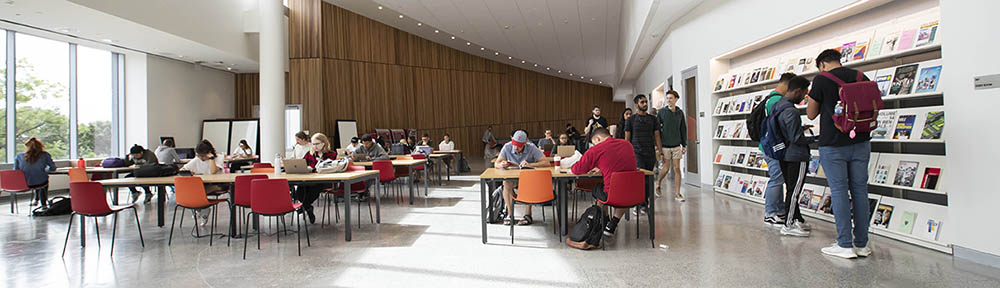
 Everywhere you look in the library, you see the little red signs:

 Salvatore C. DiMarco, Jr. was born in 1947 in Drexel Hill, PA. He learned photography from his father, a portrait painter in Philadelphia. In 1970, he graduated with a B.S. degree from the School of Communications and Theater at Temple University. Mr. DiMarco first joined the staff of the Philadelphia Evening Bulletin in 1967 as a summer intern. He eventually became Chief Photographer, overseeing a department of more than 30 photographers, editors, and technicians. After the Bulletin closed in 1982, he became a free lance photographer and divided his time between editorial, corporate and industrial magazine assignments. His photographs have appeared in many of the world’s leading magazines, including Time, and he won more than 150 international, national and regional awards for his work. He passed away on June 11, 2004.
 Gilbert J. Tucker was born in Philadelphia in 1930. From an early age, he showed an interest in illustration. Upon graduating from Simon Gratz High School, he was awarded a scholarship to the Philadelphia School of Industrial Art, now called The University of the Arts. In 1951, he graduated from the Philadelphia School of Industrial Art with a diploma in illustration. Later, he continued his education at the Philadelphia Museum College of Art, where he received a Bachelor of Fine Arts degree in 1962. After working for a number of years as a technical and commercial illustrator, Mr. Tucker joined the staff of the Philadelphia Evening Bulletin‘s Editorial Art Department from 1968 to 1980. There, he was able to exercise the full range of his abilities by providing illustrations to accompany articles and editorials. Since retiring in 1993, he devotes much of his time to watercolor painting, including landscapes and cityscapes around Philadelphia and the New Jersey shore.