Import your data
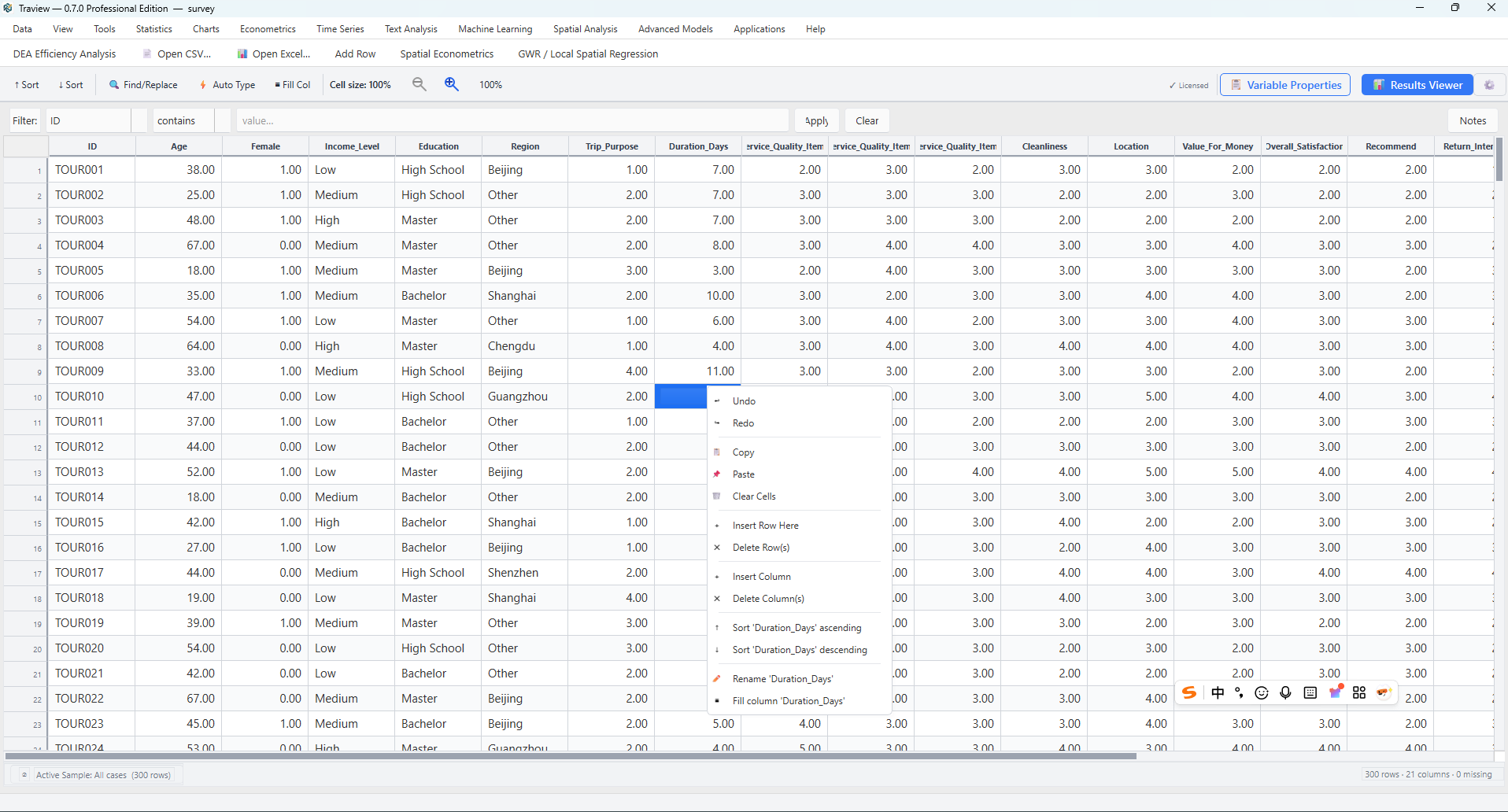
Open your dataset and check the variables before analysis.

From raw data to research findings. Explore tourism and hospitality data through statistical, econometric, spatial, and text analysis in one desktop workspace.
For research, teaching, and applied analysis.
Core workflow
Prepare the dataset, choose an analysis, review the output, and keep a record of how you got there.
Open your dataset and check the variables before analysis.
Set types and labels, handle missing values, and organize your data.
Move from descriptive analysis to econometric, spatial, text, or predictive models.
Review tables and figures together in the Results Window.
Use Syntax & Log to retain the commands and messages behind your work.
Bring your findings into documents, spreadsheets, figures, and presentations.
Workbench design
Keep the analytical process organized as your research moves across methods.
Review outputs in a shared results tree, compare analyses, and prepare tables and charts for your report.
Use Syntax & Log to inspect analysis commands and messages, revisit earlier steps, and support reproducible work.
Move between data preparation, modeling, text analysis, and maps without rebuilding your workflow in separate applications.
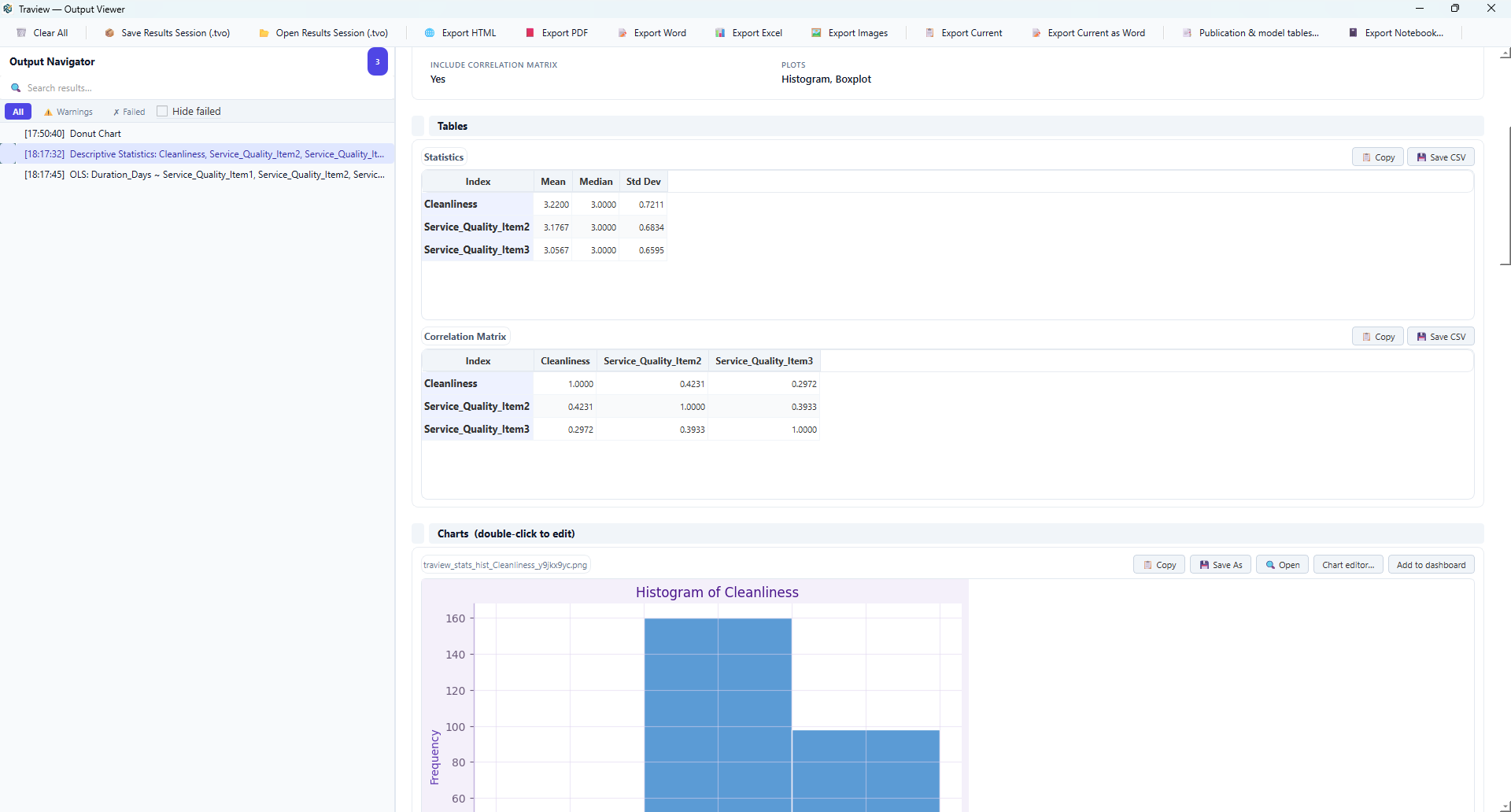
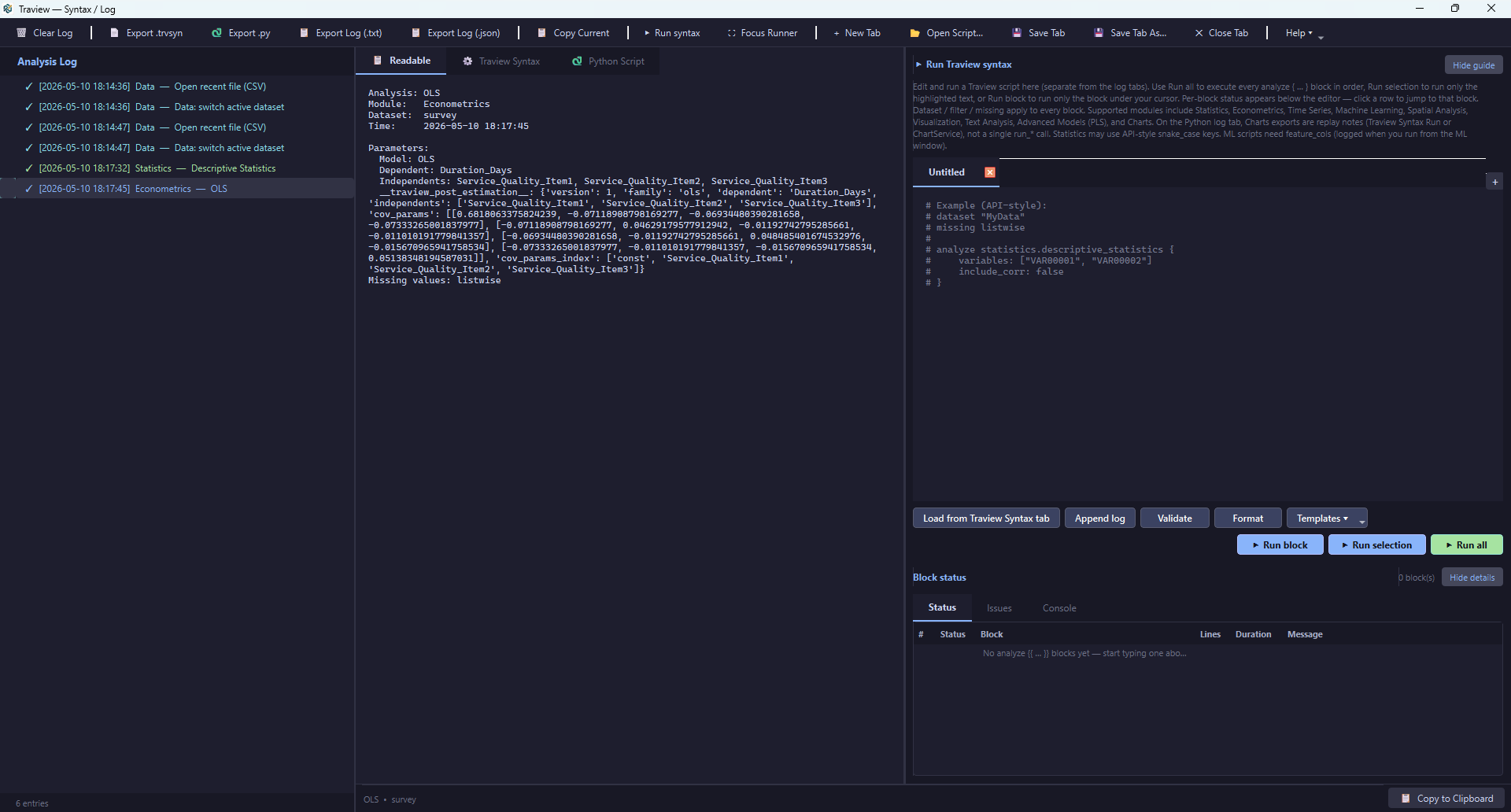
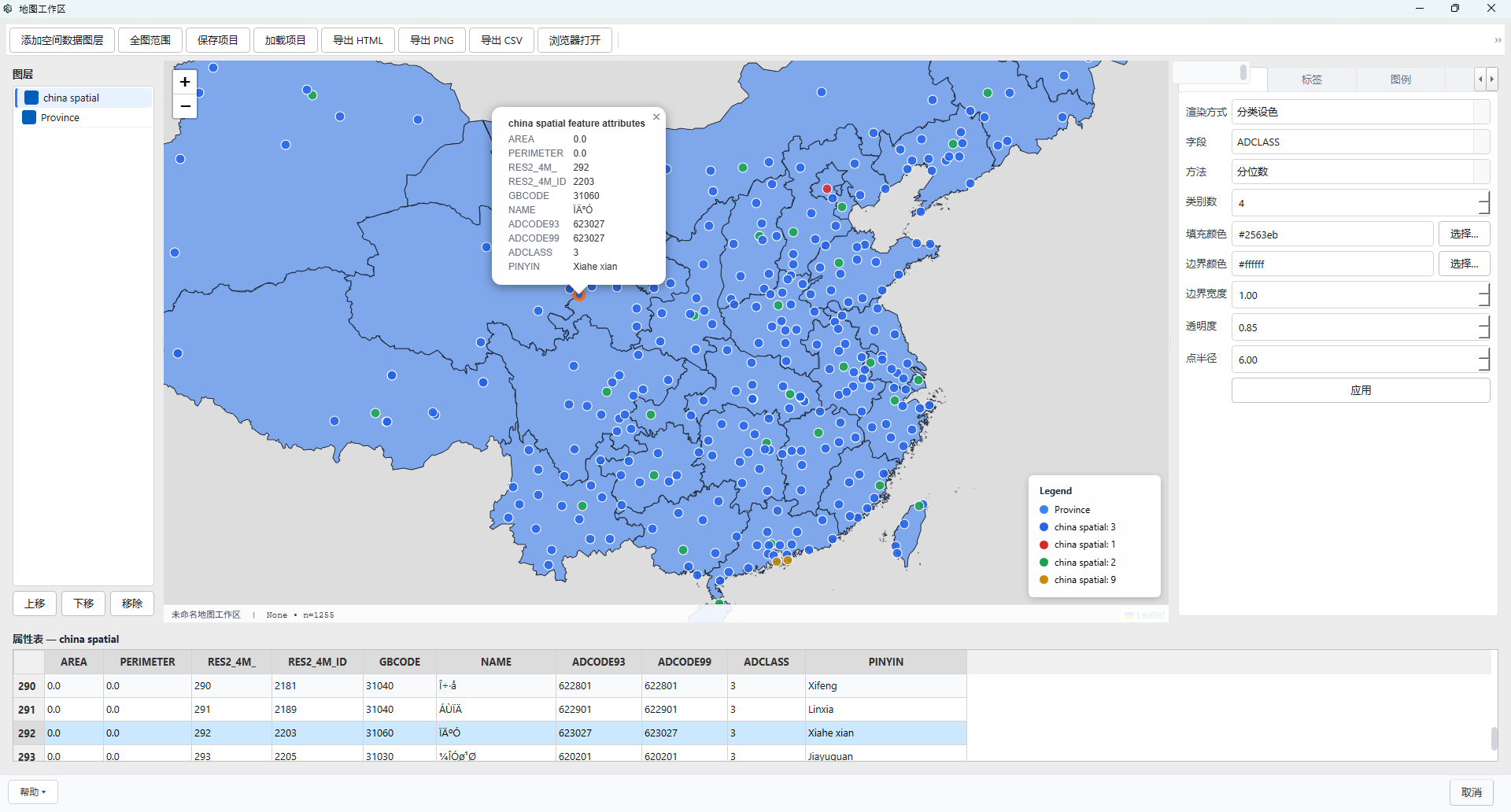
Select a screenshot to view it at full size in a new tab.
Analysis modules
Find the tools that fit your research question, from foundational statistics to specialized analytical methods.
Import, clean, merge, and define variables.
Explore moduleExplore distributions, compare groups, and test hypotheses.
Explore moduleVisualize patterns and refine figures for reporting.
Explore moduleEstimate regression, panel, discrete-choice, and causal models.
Explore moduleStudy temporal dynamics and generate forecasts.
Explore moduleExplore geographic patterns and fit spatial models.
Explore moduleExamine terms, topics, and sentiment in text.
Explore moduleBuild predictive models and evaluate their performance.
Explore moduleWork with SEM, meta-analysis, DEA, and related methods.
Explore moduleFollow guided workflows for applied analytical tasks.
Explore moduleOrganize analysis outputs and prepare exports.
Explore moduleReview scripts, execution messages, and analysis records.
Explore moduleWho it is for
Demonstrate analytical methods, practice with datasets, and develop coursework and thesis projects.
Connect research questions with analytical methods and organize outputs for interpretation and writing.
Prepare data, estimate models, and communicate findings in a structured reporting workflow.
Investigate visitor behavior, destination patterns, hotel performance, and policy questions.
Getting started
Visit the official download page for current availability, installation files, and system requirements.
Begin with the quick start guide, then explore the tutorials and individual module pages.
Traview supports teaching and method training. See academic licensing for current terms and eligibility.
Use the support page or email info@traview.io.
Start with your next research question
Explore Traview and follow the documentation to build your first end-to-end workflow.
从原始数据到研究发现,在同一个桌面工作空间中,运用统计、计量经济、空间与文本分析方法,探索旅游与酒店管理数据。
服务于科学研究、课堂教学与应用分析。
核心操作流程
准备数据、选择方法、查看结果,并保留完整的分析过程记录。
打开数据集,在分析前检查变量及其基本信息。
设置变量类型与标签,处理缺失值,完成数据整理。
从描述性分析出发,进一步开展计量经济、空间、文本分析或预测建模。
在结果窗口中集中查看分析表格与图形。
通过语法与日志功能,保留分析命令及运行信息。
将研究结果用于文档、电子表格、图形与演示文稿。
工作空间设计
在不同分析方法之间切换时,依然保持研究过程清晰有序。
在统一的结果树中查看输出、比较分析结果,并为报告整理表格与图形。
利用语法与日志查看命令和运行信息,回顾已有步骤,为研究复现提供支持。
在数据整理、建模、文本分析和地图工具之间衔接操作,减少在多个软件中重复组织分析流程的工作。
点击截图,可在新标签页中查看原图。
分析模块
围绕研究问题选择合适的工具,覆盖基础统计与多种专业分析方法。
导入、清洗与合并数据,定义变量属性。
查看模块探索数据分布、比较组间差异并进行假设检验。
查看模块展示数据规律,调整与完善报告所需图形。
查看模块估计回归、面板数据、离散选择与因果推断模型。
查看模块研究时间变化规律,开展预测分析。
查看模块探索地理分布特征,估计空间模型。
查看模块分析文本中的词语、主题与情感。
查看模块构建预测模型,评估模型表现。
查看模块开展结构方程模型、元分析、数据包络分析等。
查看模块遵循引导式流程,完成具体应用分析任务。
查看模块整理分析输出,准备导出结果。
查看模块查看脚本、运行信息与分析记录。
查看模块适用人群
演示分析方法、开展数据练习,完成课程作业与学位论文研究。
将研究问题与分析方法相衔接,整理结果以支持解释与论文写作。
整理数据、估计模型,并通过清晰有序的报告流程呈现分析发现。
研究游客行为、目的地特征、酒店经营表现与政策问题。