Guest post by: Michelle Macinsky, Katy Rawdon, Jackie Sipes, Joi Waller, Josh Roberts
Library Search now includes better access to Temple’s archival collections! With these new features you will be able to find primary sources right alongside our books, articles, and media via our new, streamlined bento-style “Everything” results page!
You might be wondering, “What is a bento?”
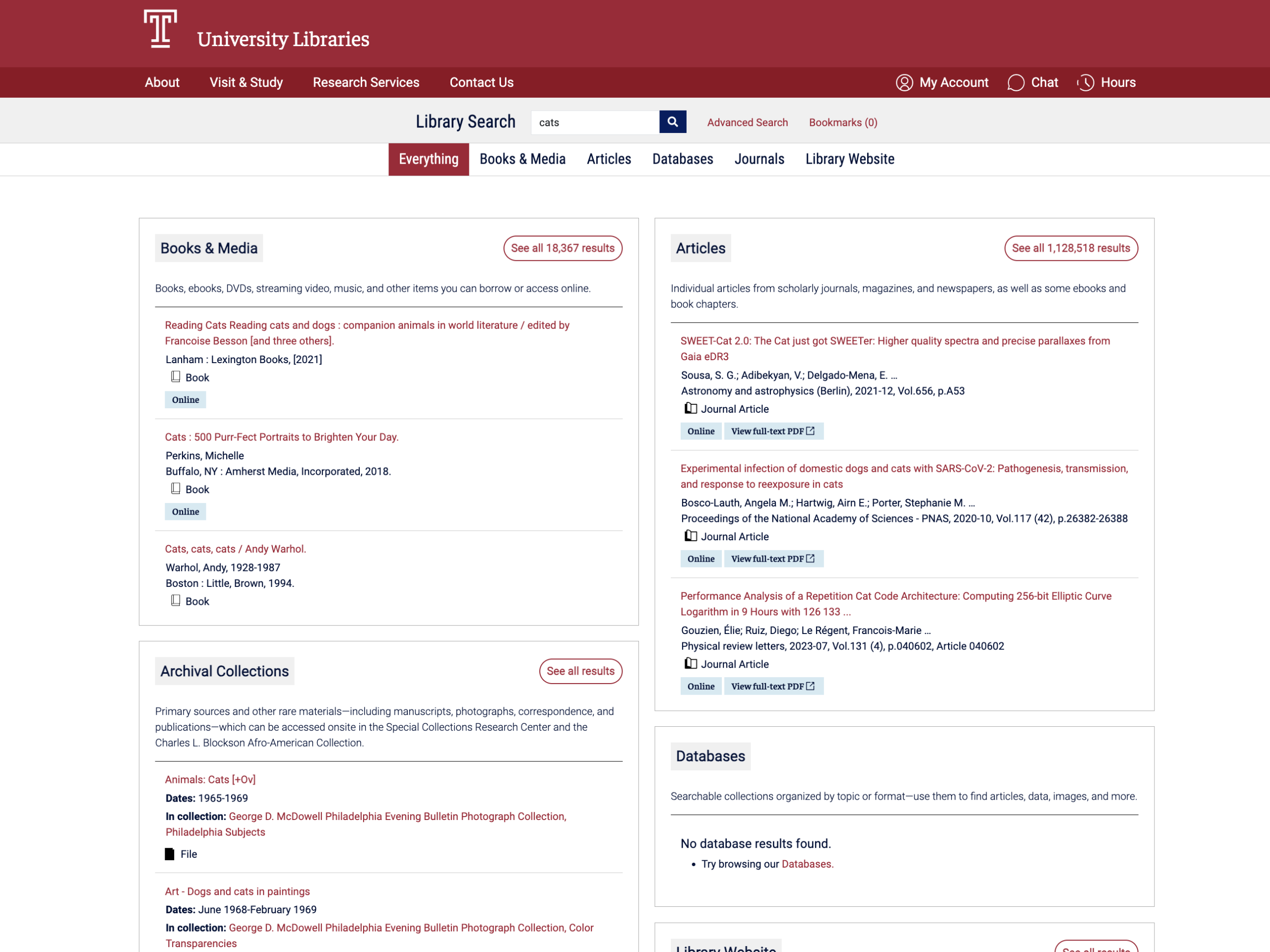
When you use the search bar on the library’s website, you land on search results for “Everything”. This page brings together results from our catalog, articles, databases, research guides, and more.
We call each of these boxes a “bento”. The bento-style layout groups your search results into clear sections by resource type. Each bento shows the 3 top results for that resource type.
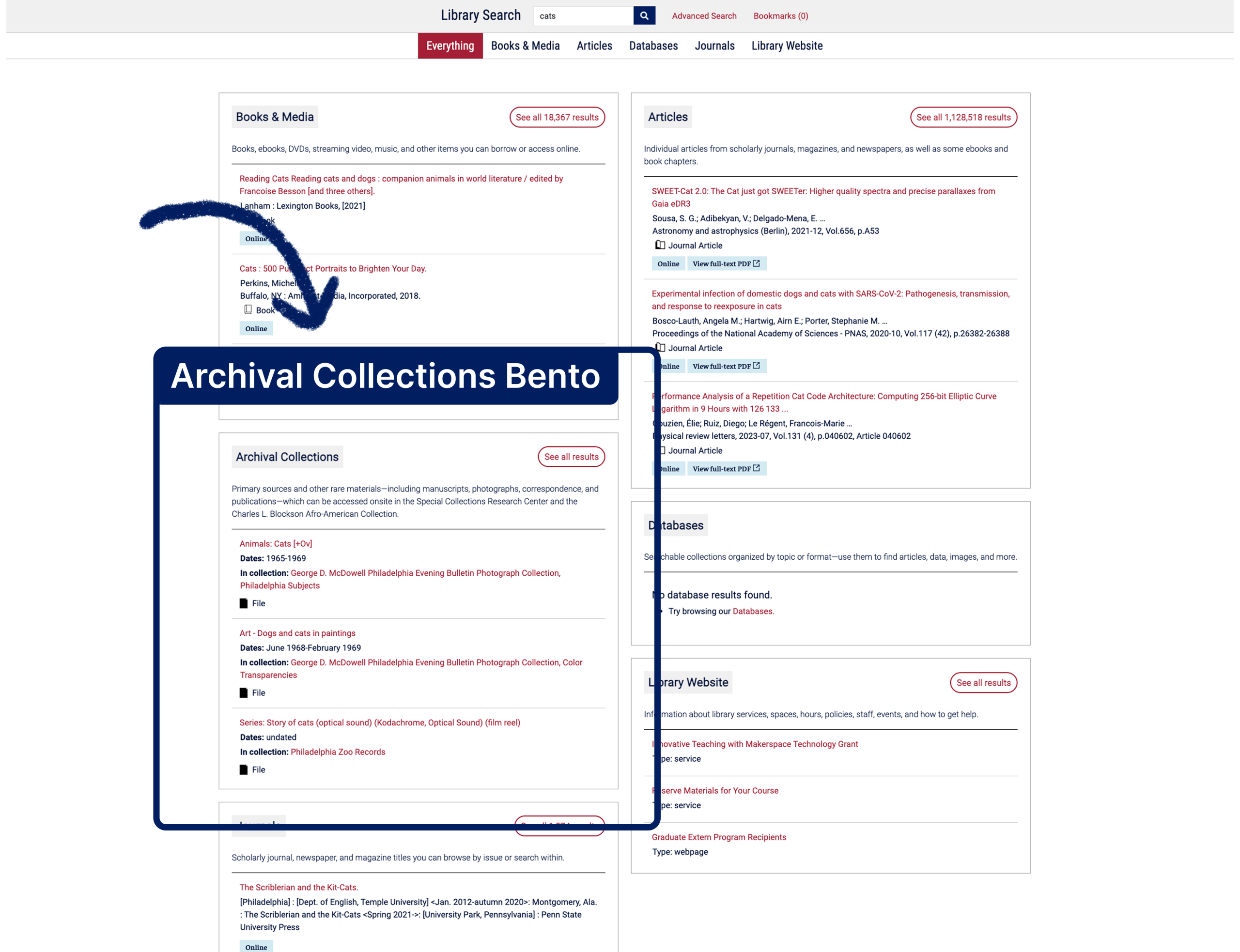
The NEW bento
Whether you’re working on a paper, project, or exploring a new idea, the new Archival Collections bento helps you find primary sources and other rare materials from Temple’s unique collections. The results match what you’d find in our Finding Aids Database.
Finding aids describe archival collections in the Special Collections Research Center and Charles L. Blockson Afro-American Collection – think of them like inventories that list what’s inside a collection, whether it’s a box of photographs, letters, newspaper clippings, or even film reels.
Let’s look at an example of the Archival Collections bento in use:
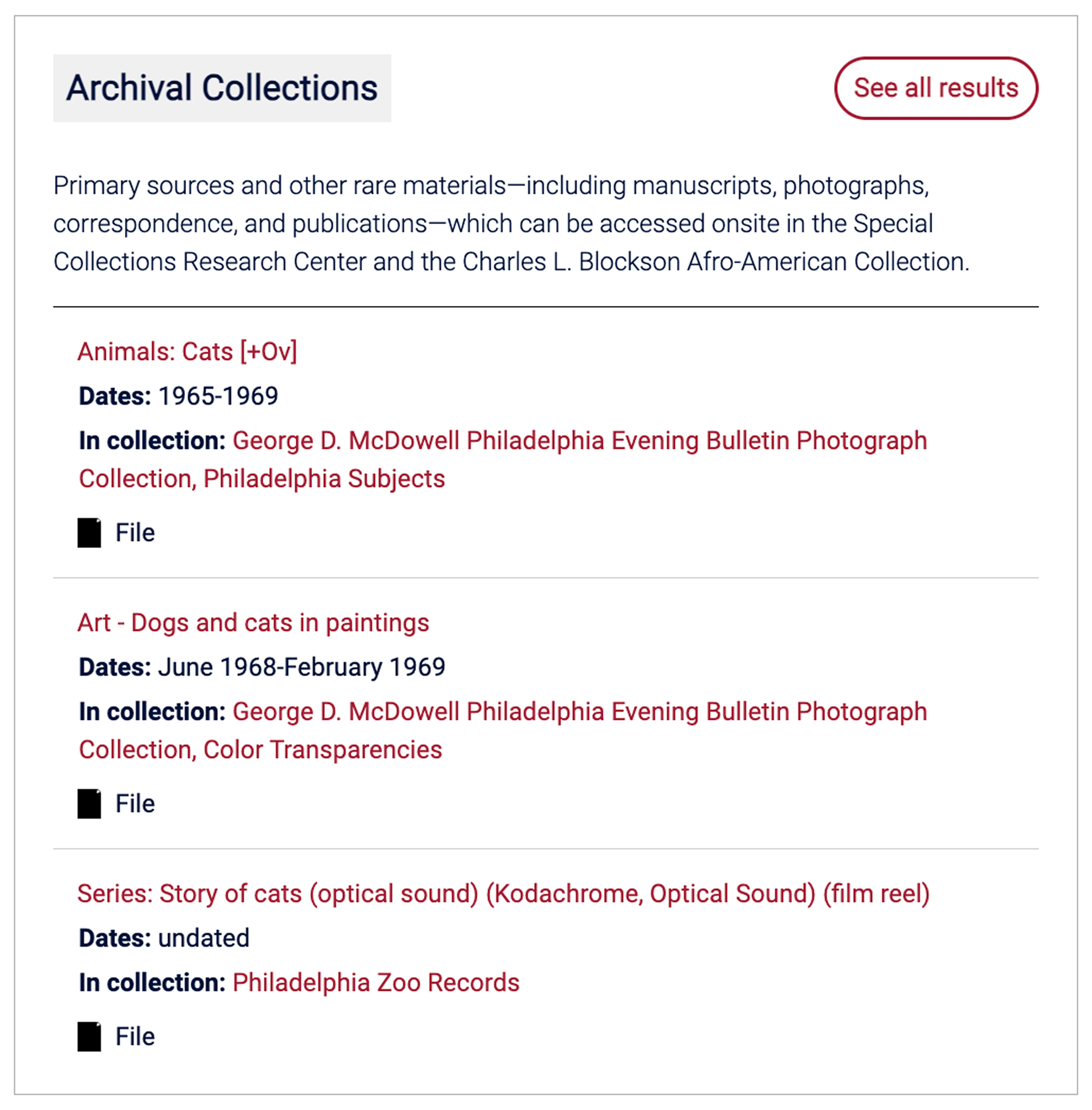
Example search: “Cats”
The screenshot above shows how results appear in the Archival Collections bento for the term “Cats”. Clicking on a title, such as “Art – Dogs and cats in paintings”, takes you directly to that record in our Finding Aids Database, where you can learn more and request onsite access.
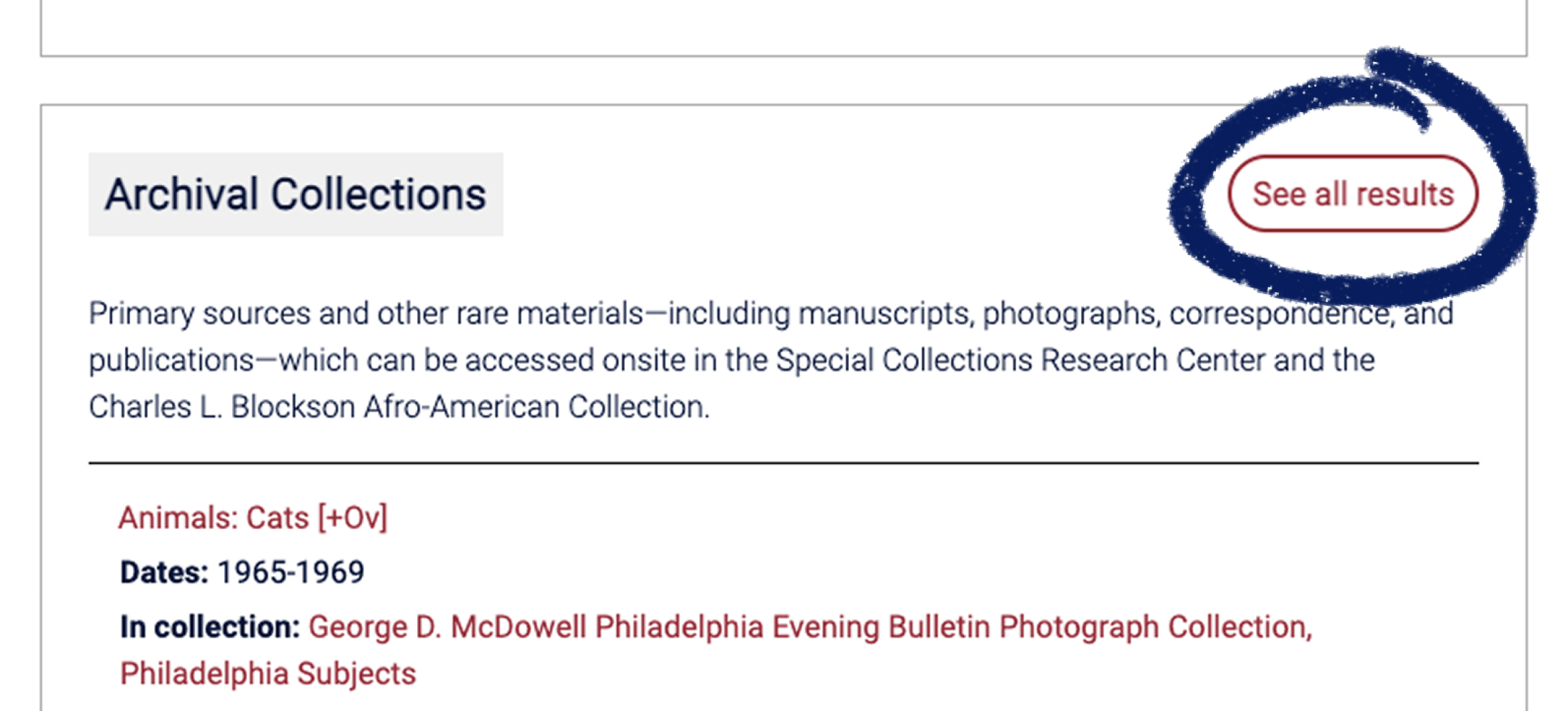
Not finding what you need? Click “See all results” at the top right of the bento to see more matches from our archival collections.
A refreshed design
With archival collections now added, we took the opportunity to simplify and improve the layout and make the bento page easier to navigate. Highlights include:
- A cleaner layout with two wider columns instead of three to help you focus on your search results
- Short descriptions for each resource type to clarify what you’ll find in each bento
- “See all results” links for each resource type moved to the top right of each bento to increase their visibility
- Other styling improvements to make it easier to skim the page
How did we decide on these changes?
We looked at other libraries and gathered feedback from library users and staff. This input helped us decide on a design that felt intuitive and organized.
As a result, we’ve introduced updates that streamline access to resources and improve how you discover materials so that you can quickly find what you need for research or class in a single spot.
Try it out!
Try Library Search the next time you start a paper or project. Learn more about Library Search