
Each team will be provided with a SumoBot.
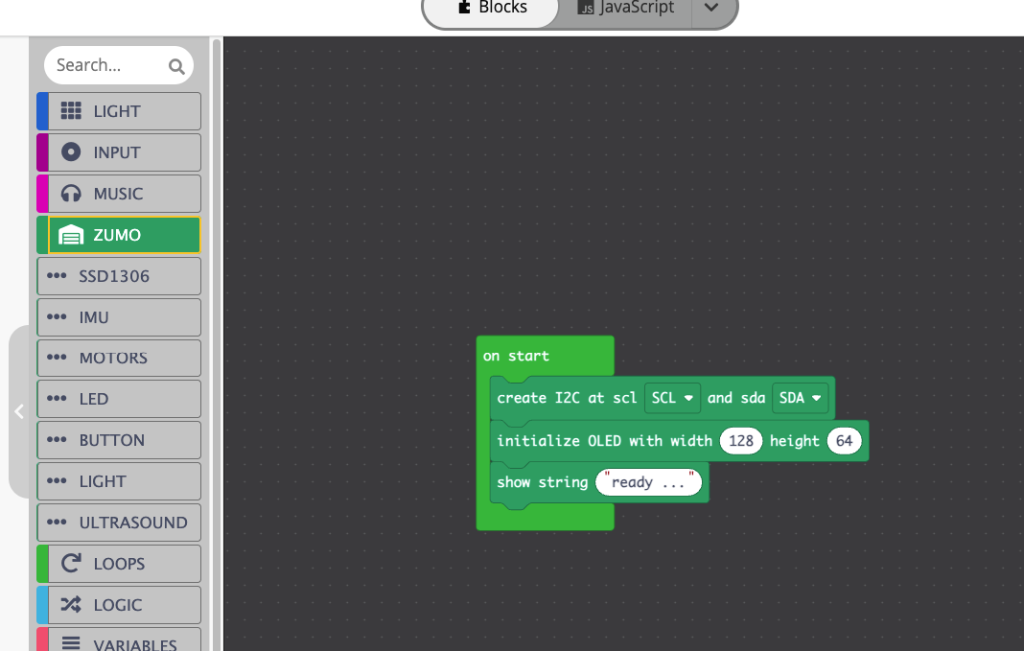
Each team will be provided with Basic SumoBot Code:
- instructional help sheet
- Click the link to open an empty template code
- For Basic Code which instructs the SumoBot to search the Dohyo for competitors and upon detecting a collision, instructs the SumoBot to push at high speed. https://makecode.com/_3zdD4hh38DRf
- Code can be edited via Blocks or JavaScript (Your Choice!).
- JavaScript has comments describing code functionality.
- Once edited, Code can be dowloaded to the SumoBot via micro-USB
- SumoBot should be placed with its front line sensors on white ring of Dohyo and when button on the PCB is pressed, the SumoBot will initiate and begin fighting!
- motor check code is here.
Technical references:
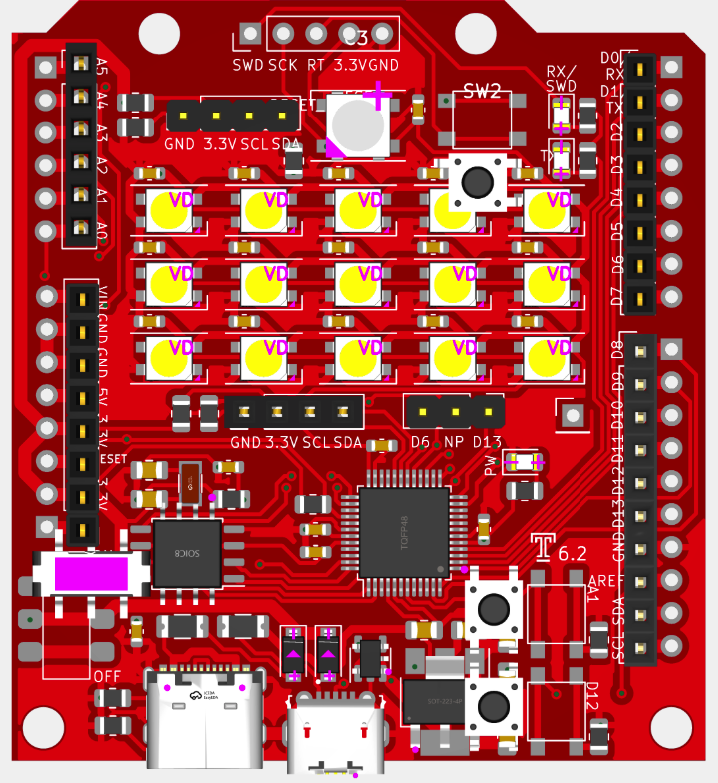
- A0. – media pin (default in make maker code)
- A1. – push button pin
- A2: – light sensor pin
- A3: – light sensor pin
- A4: – SDA (oled screen)
- A5: – SCL (oled screen)
- D0: – RX pin (currently can be used for a ultrasound sensor)
- D1: – TX pin (currently can be used for a ultrasound sensor)
- D2: – emit light for the light sensor (on/off)
- D3: – media pin -> need to jump cross to A0 pin
- D4: – light sensor pin
- D5: – light sensor pin
- D6: – neopixel light pin
- D7: – motor right direction (C or CC)
- D8: – motor left direction (C or CC)
- D9: – motor right PWM (speed)
- D10: – motor left PWM (speed)
- D11: – light sensor pin
- D12: – push button pin