How Can We Help?
Update Zoom Workplace
Check your Zoom Workplace version
- Open Zoom Workplace
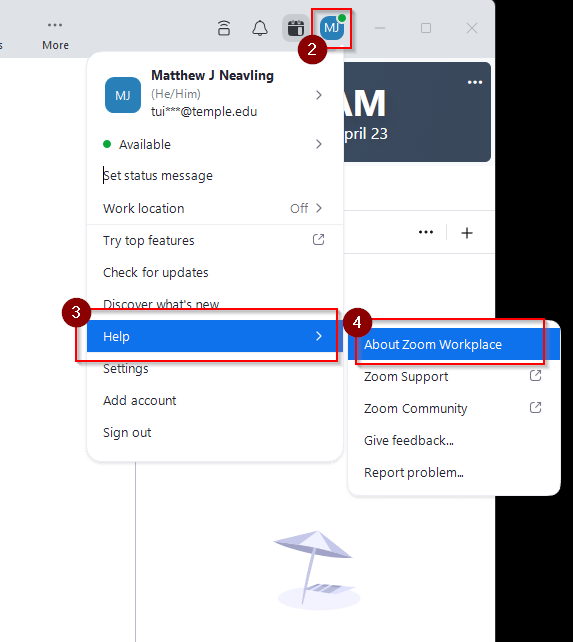
- Click on your profile icon (in the top right, a colored square with your initials)
- Select “Help”
- Select “About Zoom Workplace”
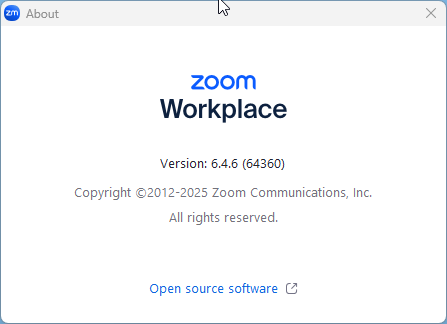
- A popup window will appear displaying the current version of Zoom Workplace you have installed.
Update Zoom Workplace
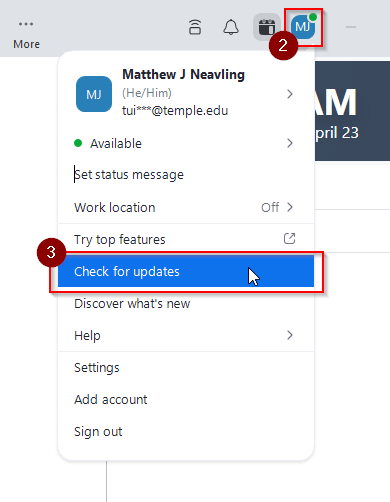
- Open Zoom Workplace
- Click on your profile in the top right corner (a colored square with your initials)
- Click “Check for updates”
If any updates are available, a popup will appear asking if you’d like to proceed with the update. Click Yes.