How Can We Help?
Reset your AccessNet Account
If you’ve forgotten your password or have left and been rehired by Temple, you may need to reset your AccessNet account.
Requirements
- your AccessNet username
- TUid
- Date of Birth
- Answers to security questions
Reset your AccessNet Password
- Go to accounts.temple.edu
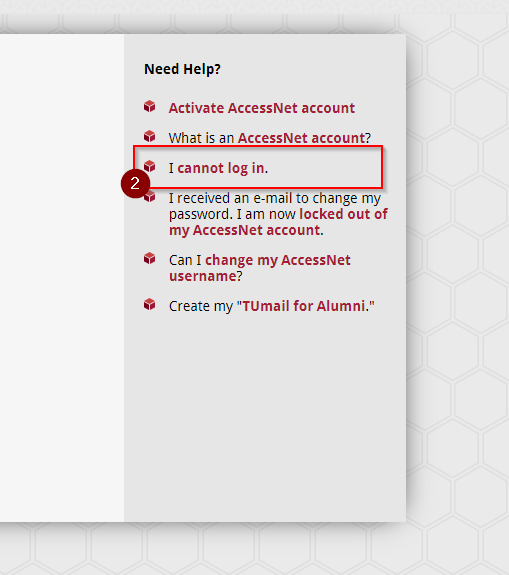
- Select “I cannot log in” under the ‘Need Help?’ sidebar
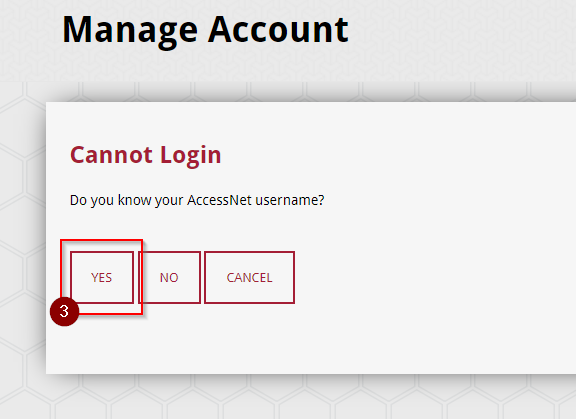
- Select “Yes” under the question that reads “Do you know your AccessNet username?”
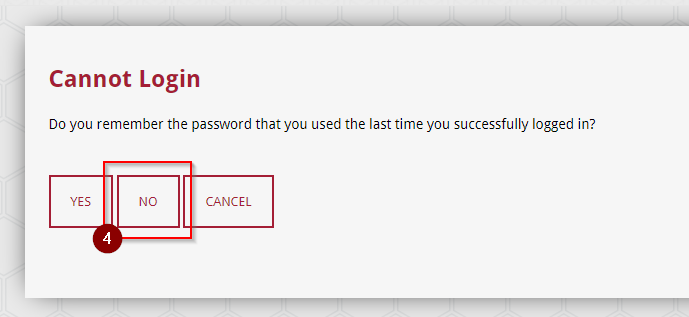
- Select “No” under the question that reads “Do you remember the password that you used the last time you successfully logged in?”
- Input your AccessNet, TUid, and security question answers as prompted.
- Enter a new password.