How Can We Help?
Creating Handouts from PowerPoint Slides
Print-to-PDF with “Microsoft Print to PDF” or “Adobe PDF”
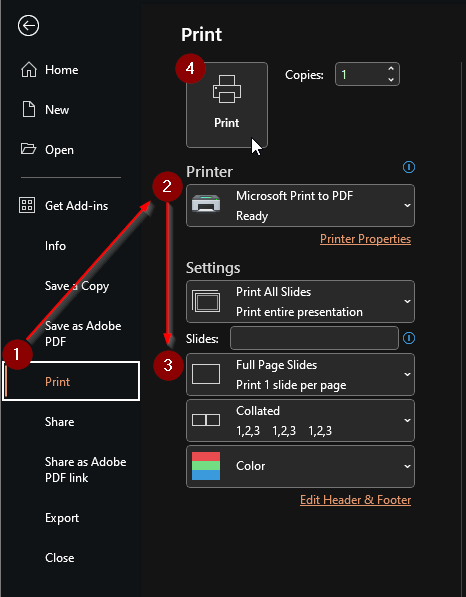
- Open your PDF and click “File”, then “Print”
- Select “Microsoft Print to PDF” or “Adobe PDF” in the ‘Printer’ dropdown menu.
- Select “Handouts (2 slides per page)” in the format dropdown menu.
- Click “Print”
Export PDF/XPS
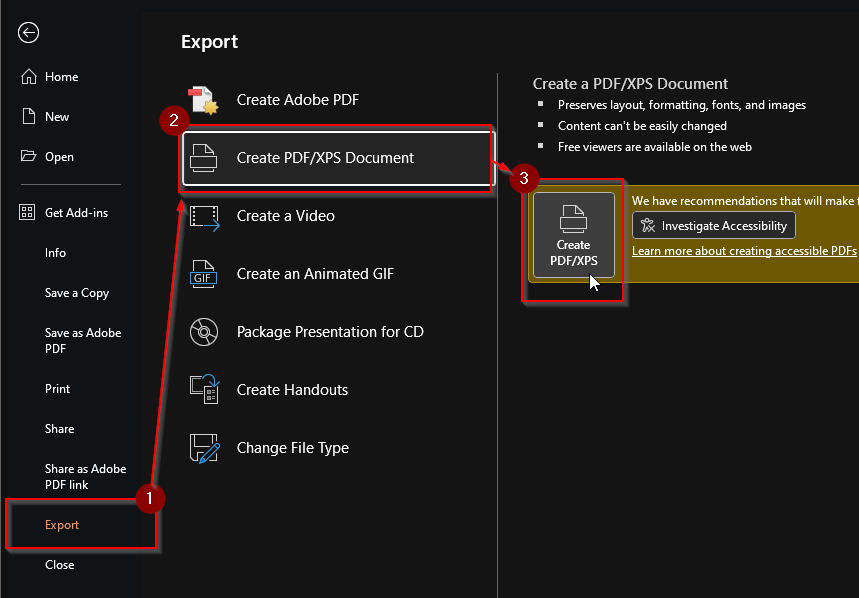
- Go to “File”, then “Export”
- Click “Create PDF/XPS Document”
- Click “Create “PDF/XPS”
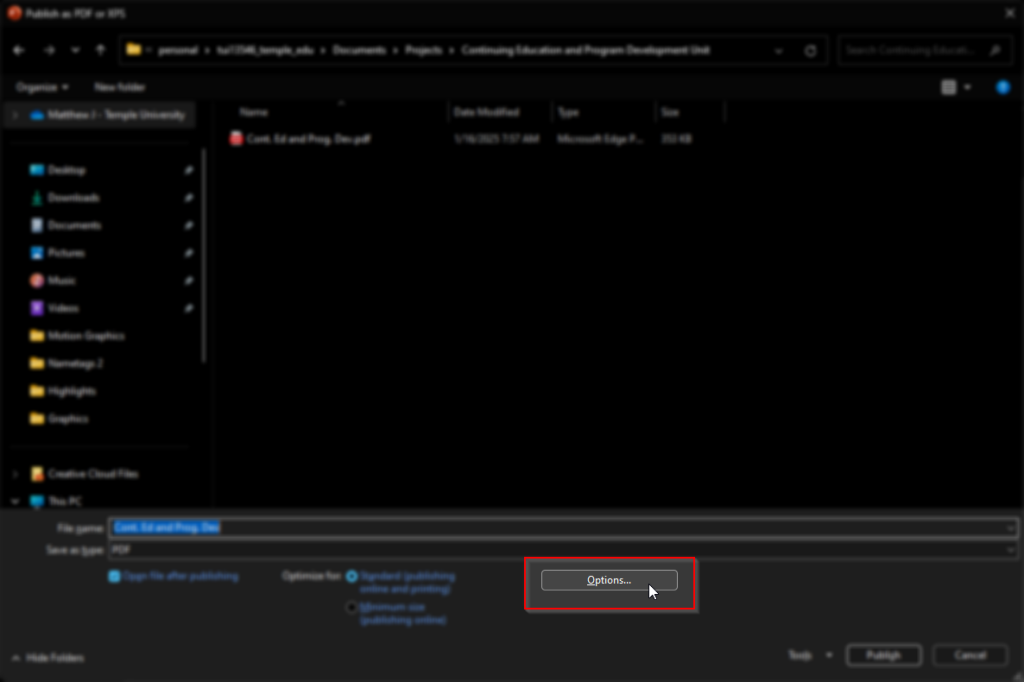
- In the file explorer dialog, select “Options…”
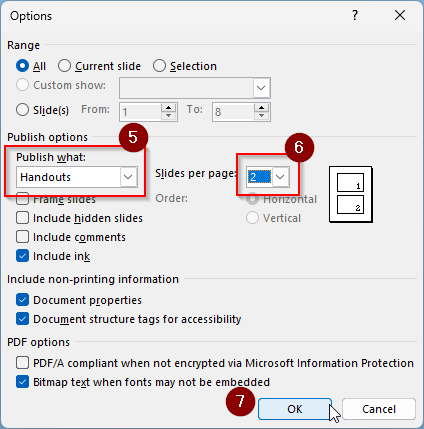
- Change “Publish what” to “Handouts”
- Change “Slides per page” to 2
- Click OK