How Can We Help?
Check for Updates in Windows 11
Check for Updates
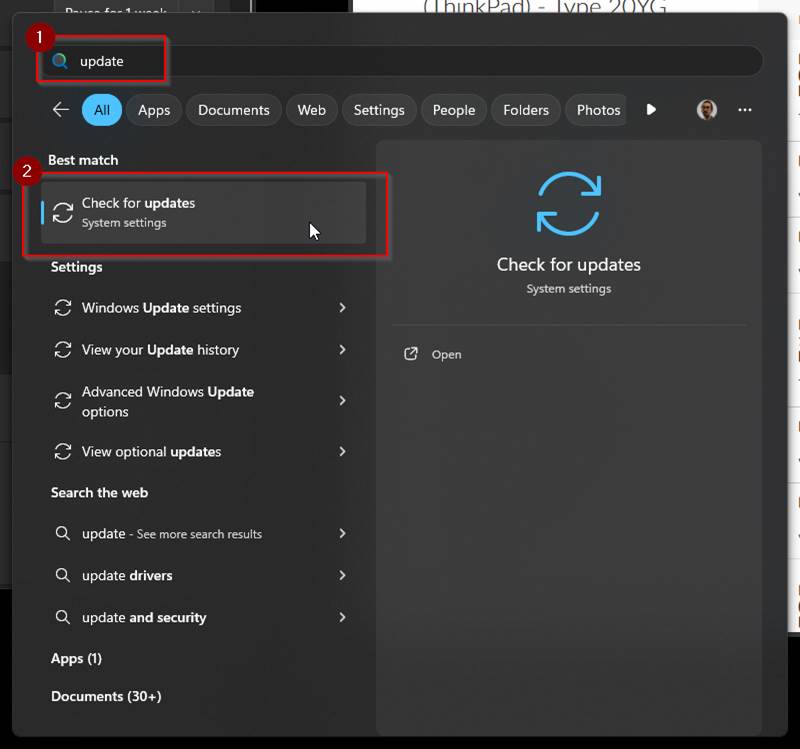
- Search “Update” in the Windows search bar
- Launch “Check for updates“
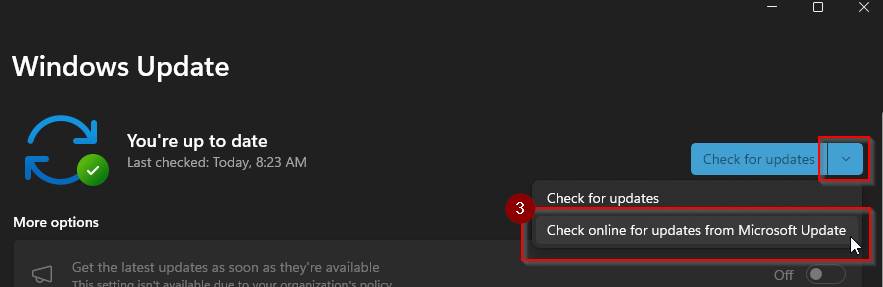
- Click the down carat next to the blue “Check for updates” button and select “Check online for updates from Microsoft Update“
- Download and install any updates that show up.