
Tab groups are a built-in feature in several popular web browsers to help you keep your related tabs organized and relevant. This feature is available by default in Google Chrome and Microsoft Edge.
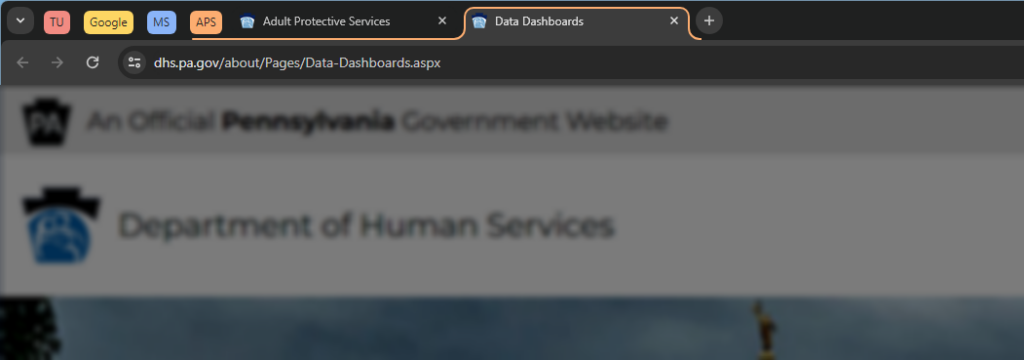
Creating tab groups in Chrome & Edge
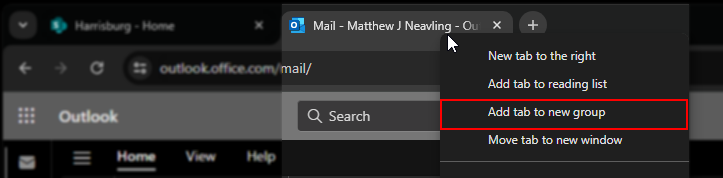
- Right click on a tab in your browser.
- Select Add to new tab group
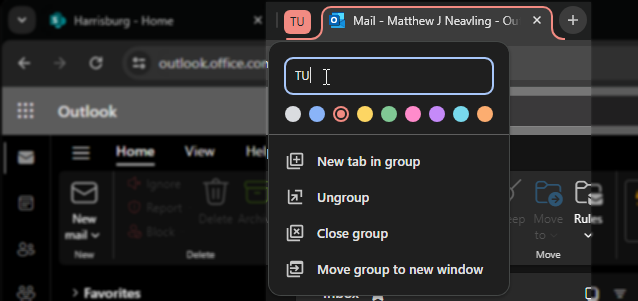
- Title the tab group and select a group color.
- Add tabs to this group by clicking and dragging a tab to the space next to the group until the new tab is highlighted in the group’s color, or right click and select Add to tab group and select your group.

- Collapse and expand tab groups by clicking on the group label.

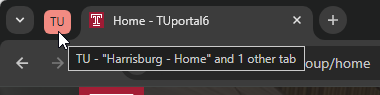
Tab groups help you stay organized and productive by keeping related tabs visually connected and minimizing the clutter of your digital workspace. You can also set tab groups to re-open for every session, so you can keep your groups between works days to help you stay on-task.