How Can We Help?
Using the Leave Request App
Requests for the use of personal, vacation, and sick leave allotments should be submitted to the operations manager through the Leave Request App available on the Harrisburg SharePoint.
Submitting a Leave Request
- Use the Leave Request App to submit your request.
- For requests that involve a combination of full and partial days:
- In the app, select “Multiple Days” and input the amount of days using a decimal (i.e. “1.5” Days).
- Add any helpful notes regarding your request using the “Note to Approvers” field if desired.
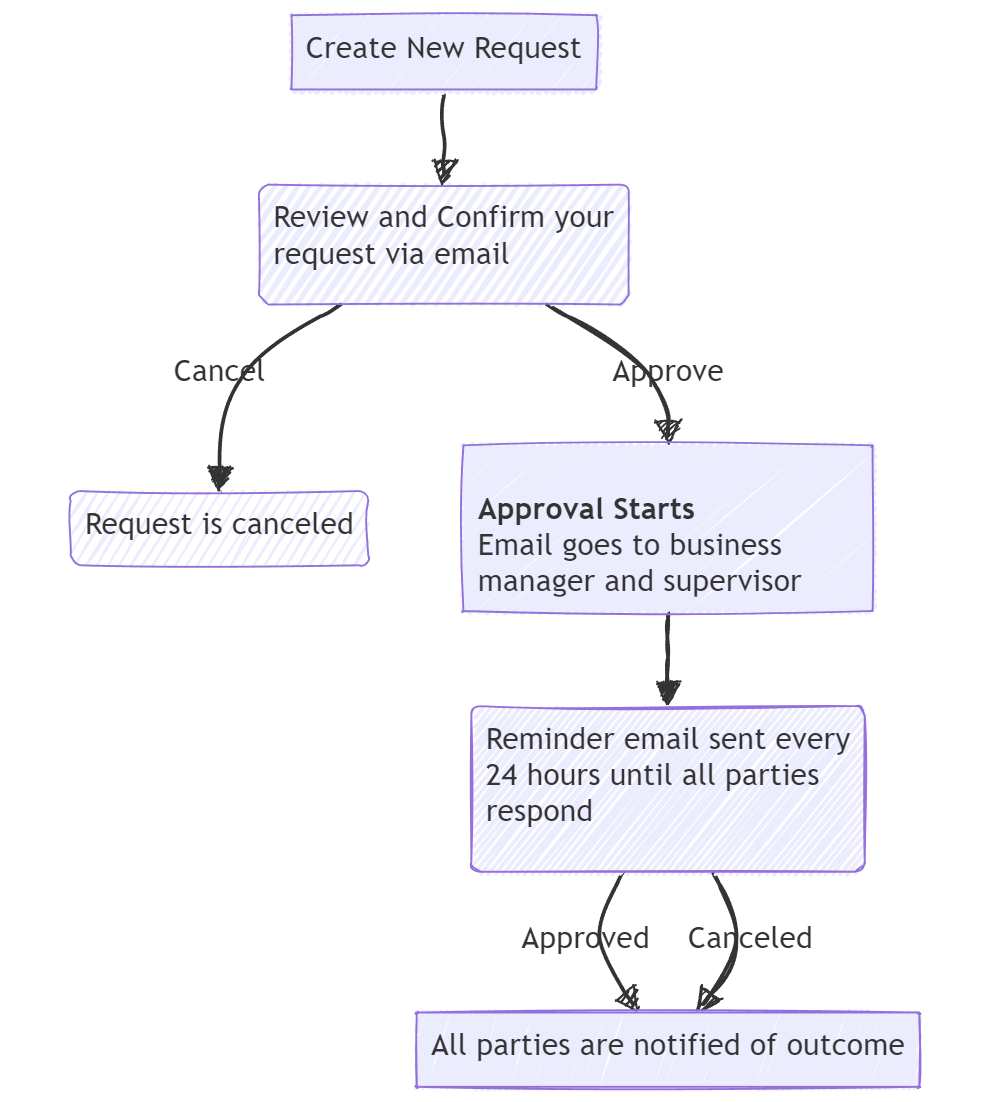
- A confirmation email is sent to you before notifying your supervisor and the business manager.
- Check the confirmation email for errors.
- Select [ Cancel ] and start over if you need to make a change.
- Select [ Confirm ] to notify your supervisor and the business manager via email.
- Leave requests must be Approved or Rejected by your supervisor and the business manager.
- Requests are not approved until both parties select [ Approve ]
- Requests will be rejected immediately if either party selects [ Reject ]
- The supervisor and/or business manager must provide notes for any rejections (i.e. “Insufficient time for this request”)
- Once a request is approved or rejected, a final outcome email will be sent to the requester, the supervisor, and the business manager with the details and notes.
Workflow